Styling Titles Using Presets
Browse preset library and save custom presets
1. Duplicate preset from Preset library
You can find starter presets by clicking on Browse Library. Then click Duplicate on a preset to save and use it.
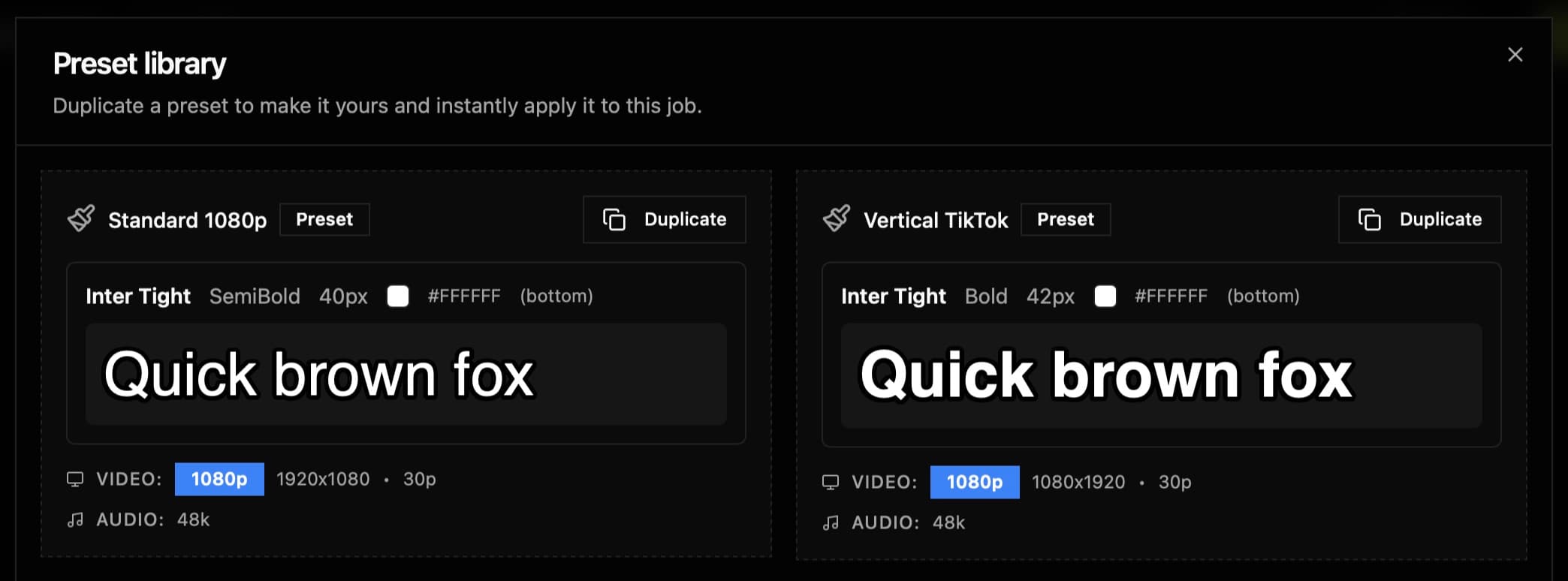
2. Select a Preset
Your presets are accessible on any of your jobs, click on a card to select a preset for the current job.
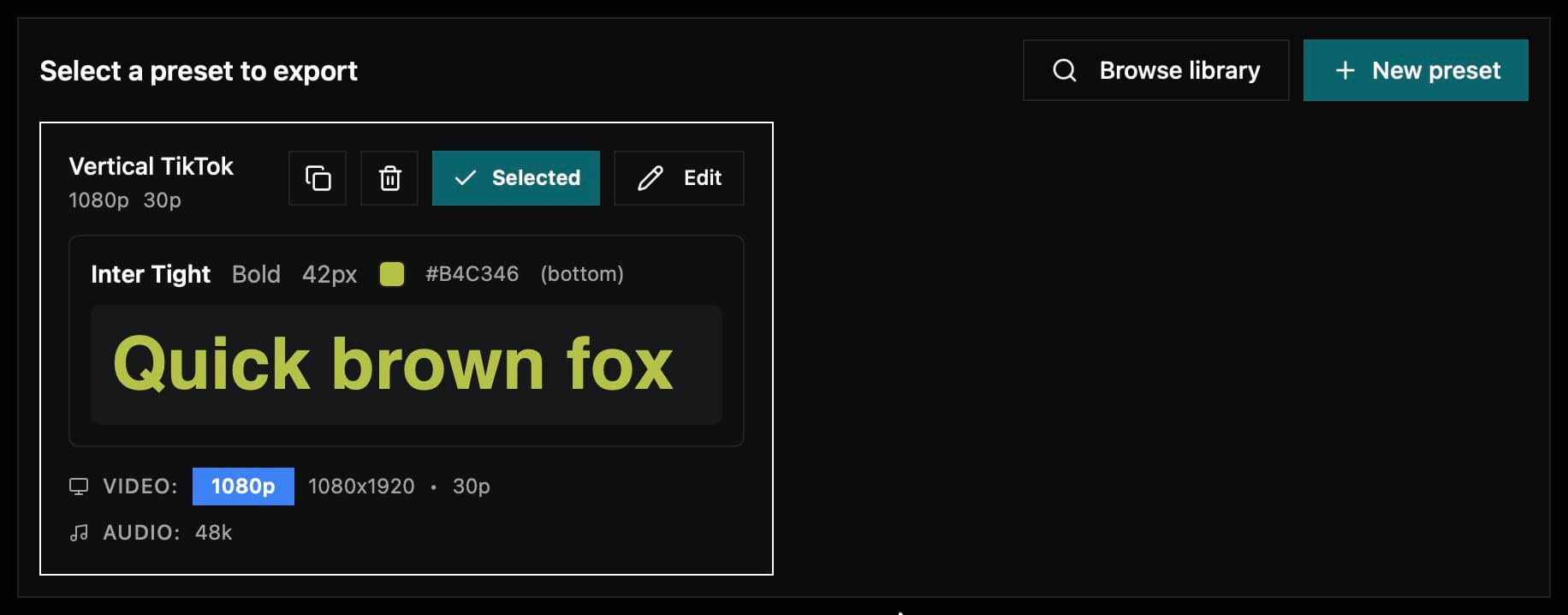
- Open the Presets Panel below the timeline
- Browse available presets from your library
- Click a preset to preview it
- Click Apply to use it for export
3. Creating or Customizing a Preset
The automatic preview updates as you adjust settings to see exactly how your captions will look.
Edit preset settings in the right panel:
Captions Position
| Field | Type | Description |
|---|---|---|
| Position | 'Top' | 'Center' | 'Bottom' | Vertical text placement |
Font style
| Field | Type | Description |
|---|---|---|
| Font Name | string | Font family selection from Google Fonts or system fonts |
| Font Size | px | Font size in pixels (recommended: 40-80pt) |
| Font Weight | ex: 'Regular' | 'SemiBold' | Font weight options |
| Line Height | number | Line height for text spacing |
| Font Color | RGBA hex | Text color in RGBA hex format |
Stroke/Outline
| Field | Type | Description |
|---|---|---|
| Toggle Stroke | yes/no | Enable or disable text stroke/outline |
| Stroke Width | px | Text outline width |
| Stroke Color | RGBA hex | Stroke/outline color in RGBA hex format |
Positioning & Margin
| Field | Type | Description |
|---|---|---|
| Safe Margins | px | Safe area margins in pixels to prevent text cutoff |
| Word Spacing | px | Horizontal and Vertical spacing configuration between words and lines |
General Project Settings
| Field | Value/Type | Description |
|---|---|---|
| Resolution | Examples: 1920×1080 3840×2160 2688×2016 (4:3) 3840×2880 (4:3) 720×1280 1080×1920 | Output resolution for the video project |
| Frame Rate | 30p | Video frame rate per second |
4:3 presets (e.g. 2688×2016) suit DJI and other 4:3 cameras. Scaling factor is suggested automatically from the resolution height.
Advanced Project Settings
| Field | Value/Type | Description |
|---|---|---|
| Timecode Format | NDF (Non-drop frame) | Non-drop frame timecode maintains consistent timing without skipping frames |
| Scaling Factor | 19.2 | Technical ratio used for scaling Final Cut Pro positions in FCPXML |
Read Only Project Settings
| Field | Value/Type | Description |
|---|---|---|
| Color Space | Standard - Rec. 709 (cannot be changed) | Color profile standard for video production |
| FCPXML Version | 1.11 (cannot be changed) | Final Cut Pro XML format version |
| Timescale | 6000 (cannot be changed) | Base unit for timing calculations in the project |
Audio Project Settings
| Field | Value/Type | Description |
|---|---|---|
| Sample Rate | 48kHz | Audio sampling frequency |
| Channels | Stereo (read only) | Audio channel configuration |
Installing Fonts
Presets reference fonts by name. If the preview does not appear, it might mean that you're missing the specific font.
- Download fonts from Google Fonts or Fontshare
- Install on your Mac
- Font names will work in Final Cut Pro when you import