Automatic Grouping
Words are combined into readable caption phrases optimized for short-form content
Grouping does not start automatically. After transcription finishes, click Start Grouping in the action panel when you are ready.
1. Start grouping
- Wait for transcription to complete
- Pick a group length:
- Short — 2–3 words per group
- Normal — 4–5 words (default)
- Long — 6+ words
- Click Start Grouping
- Wait ~30 seconds (progress displayed)
The AI analyzes speech patterns and sentence structure to create natural, readable caption groups.
2. Edit grouped timeline
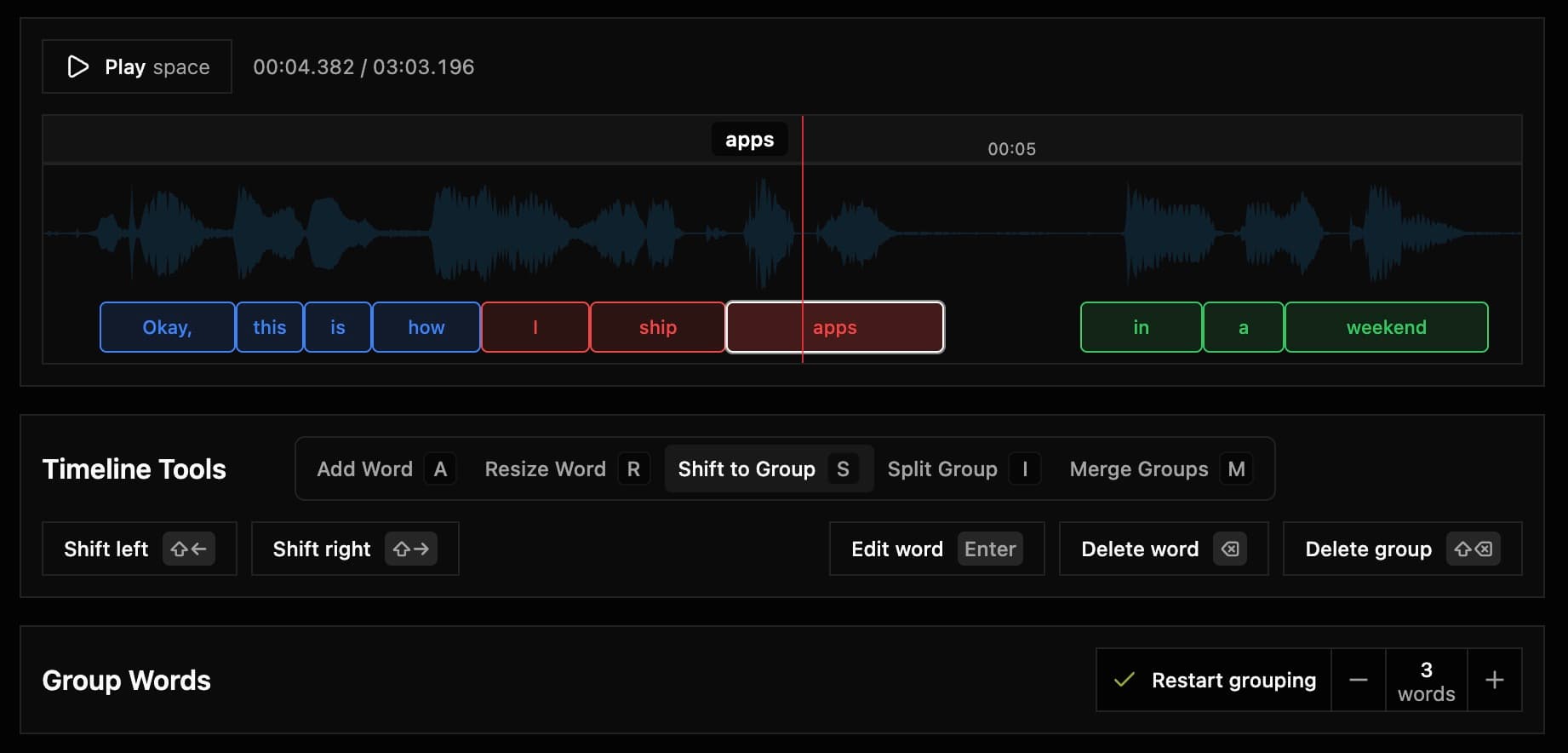
After grouping completes, every word is arranged in groups that get their own color. Words are edited on a single track.
3. Manual group from selection
Select multiple words on the timeline (drag-select), then:
- Click Group selected in the toolbar, or
- Press
Shift + Enter
Capti creates a new caption group from the selected words in timeline order.
4. Keyboard actions for group editing
| Action | Shortcut |
|---|---|
| Shift selected word(s) into adjacent group | S then Shift + Arrow Left/Right |
| Split group around selected word | I then Shift + Arrow Left/Right |
| Merge with adjacent group | M then Shift + Arrow Left/Right |
| Delete selected group | Shift + Backspace (Maj + Retour) |
Tool modes are keyboard-first. Press the mode key once, then apply direction
with Shift + Arrow Left/Right.
5. Restart grouping

- Pick a group length:
- Short — 2–3 words per group
- Normal — 4–5 words (default)
- Long — 6+ words
- Click
Restart Grouping - Wait ~30 seconds (progress displayed)
The AI analyzes speech patterns and sentence structure to create natural, readable caption groups.
Restarting the grouping will erase any changes to the groups (will reset the order, but will keep word text and duration).